• Docker braindump

    These are currently random notes and are not much help to anybody yet. They will get tidied as I add to the page.

    Docker Swarm

    Docker swarm secrets

    From inside a docker swarm manager node, there are two ways of creating a secret.

    Using a string value:

    printf <your_secret_value> | docker secret create your_secret_key -

    Using a file path:

    docker secret create your_secret_key ./your_secret_value.json

    Docker swarm secrets are saved, encrypted, and are accessible to containers via a filepath:

    /run/secrets/your_secret_key.

    Posts to digest

    https://www.bretfisher.com/docker-swarm-firewall-ports/

    https://www.bretfisher.com/docker/

    https://www.digitalocean.com/community/tutorials/how-to-set-up-laravel-nginx-and-mysql-with-docker-compose

  • Been learning to use Docker Swarm

    After getting half-way through a Docker Mastery series on Udemy, I decided I would like to move my WordPress website, this one, to using a 3-node swarm.

    After a few days of editing and re-arranging my docker-compose.yml file (the local dev configuration file that can also be used for starting up a swarm since compose version 3.3) I have decided to just keep my website hosted on its single regular server. (Although I had already moved the database to its own dedicated server).

    Despite the fact that I haven’t actually managed to move over to using a swarm (and to be honest it isn’t even needed for me) I have managed to dive into a bunch of concepts around Docker and its Swarm component and feel that I have added a few new things to me dev toolkit.

    I think I will definitely be putting together a little demo in a swarm across three separate servers. But for now I will keep my website settled as it is. 😀

    What I have learned – or rather reminded myself of, whilst sat in at home during this damn isolation, is that it is important to keep looking into complimentary technologies around my everyday development skill set.

  • How I would set up Laravel with Docker

    This is a quick brain dump for myself to remember how I set up Laravel with Docker. Hopefully it can help others out also.

    I tried to avoid Docker for the longest time due to the ease of just running php artisan serve. However, when you have some dependancies that your site will rely on, Docker can be helpful — especially when having multiple developers — in getting up and running with the whole codebase easier.

    This post assumes you have setup a basic Laravel project on a Linux computer, and have both Docker and Docker Compose installed locally.

    What will this project use?

    This is only a basic example to get up and running with the following dependancies. You can add more items to your docker-compose.yml file as you need to.

    Note: whatever you choose to name each extra service in your docker-compose.yml file, use its key as the reference point in your .env file.

    • The main site codebase
    • A MySQL database
    • an NGINX webserver
    • PHP

    docker-compose.yml

    Have a file in the project root, named `docker-compose.yml

    version: "3.3"
    
    services:
      mysql:
        image: mysql:8.0
        restart: on-failure
        env_file:
          - .env
        environment:
          MYSQL_ROOT_PASSWORD: ${MYSQL_ROOT_PASSWORD}
          MYSQL_DATABASE: ${MYSQL_DATABASE}
      nginx:
        image: nginx:1.15.3-alpine
        restart: on-failure
        volumes:
          - './public/:/usr/src/app'
          - './docker/nginx/default.conf:/etc/nginx/conf.d/default.conf:ro'
        ports:
          - 80:80
        env_file:
          - .env
        depends_on:
          - php
      php:
        build:
          context: .
          dockerfile: './docker/php/Dockerfile'
        restart: on-failure
        env_file:
          - .env
        user: ${LOCAL_USER}

    Dockerfile

    Have a Dockerfile located here: ./docker/php/Dockerfile. I keep it in a separate folder for tidiness.

    # ./docker/php/Dockerfile
    FROM php:7.2-fpm
    
    RUN docker-php-ext-install pdo_mysql
    
    RUN pecl install apcu-5.1.8
    RUN docker-php-ext-enable apcu
    
    RUN php -r "copy('https://getcomposer.org/installer', 'composer-setup.php');" \
        && php -r "if (hash_file('SHA384', 'composer-setup.php') === '48e3236262b34d30969dca3c37281b3b4bbe3221bda826ac6a9a62d6444cdb0dcd0615698a5cbe587c3f0fe57a54d8f5') { echo 'Installer verified'; } else { echo 'Installer corrupt'; unlink('composer-setup.php'); } echo PHP_EOL;" \
        && php composer-setup.php --filename=composer \
        && php -r "unlink('composer-setup.php');" \
        && mv composer /usr/local/bin/composer
    
    WORKDIR /usr/src/app
    
    COPY ./ /usr/src/app
    
    RUN PATH=$PATH:/usr/src/app/vendor/bin:bin
    

    default.conf

    Have a default.conf file for the project’s nginx container saved here: ./docker/nginx/default.conf

    # ./docker/nginx/default.conf
    server {
     server_name ~.*;
    
     location / {
         root /usr/src/app;
    
         try_files $uri /index.php$is_args$args;
     }
    
     location ~ ^/index\.php(/|$) {
         client_max_body_size 50m;
    
         fastcgi_pass php:9000;
         fastcgi_buffers 16 16k;
         fastcgi_buffer_size 32k;
         include fastcgi_params;
         fastcgi_param SCRIPT_FILENAME /usr/src/app/public/index.php;
     }
    
     error_log /dev/stderr debug;
     access_log /dev/stdout;
    }

    Add the necessary variables to your .env file

    There are some variables used in the docker-compose.yml file that need to be added to the .env file. These could be added directly, but this makes it more straightforward for other developers to customise their own setup.

    MYSQL_ROOT_PASSWORD=root
    MYSQL_DATABASE=example
    LOCAL_USER=1000:1000
    

    The MYSQL_ROOT_PASSWORD and MYSQL_DATABASE are self-explanatory, but theLOCAL_USER variable refers to the user id and group id of the currently logged in person on the host machine. This normally defaults to 1000 for both user and group.

    If your user and/or group ids happen to be different, just alter the variable value.

    Note: find out your own ids by opening your terminal and typing id followed by enter. You should see something like the following:

    uid=1000(david) gid=1000(david) groups=1000(david),4(adm),27(sudo),1001(rvm)

    uid and gid are the numbers you need, for user and group respectively.

    Run it

    Run the following two commands separately then once they are finished head to http:localhost to view the running code.

    Note: This setup uses port 80 so you may need to disable any local nginx / apache that may be running currently.

    docker-compose build
    docker-compose up -d

    Any mistakes or issues, just email me.

    Thanks for reading.

  • How to easily set a custom redirect in Laravel form requests

    How to easily set a custom redirect in Laravel form requests

    In Laravel you can create custom request classes where you can house the validation for any given route. If that validation then fails, Laravel’s default action is to redirect the visitor back to the previous page. This is commonly used for when a form is submitted incorrectly – The visitor will be redirected back to said form to correct the errors. Sometimes, however, you may wish to redirect the visitor to a different location altogether.

    TL;DR (Too long; didn’t read)

    At the top of your custom request class, add one of the following protected properties and give it your required value. I have given example values to demonstrate:

    protected $redirect = '/custom-page'; // Any URL or path
    protected $redirectRoute = 'pages.custom-page'; // The named route of the page
    protected $redirectAction = 'PagesController@customPage'; // The controller action to use.
    

    This will then redirect your visitor to that location should they fail any of the validation checks within your custom form request class.

    Explaination

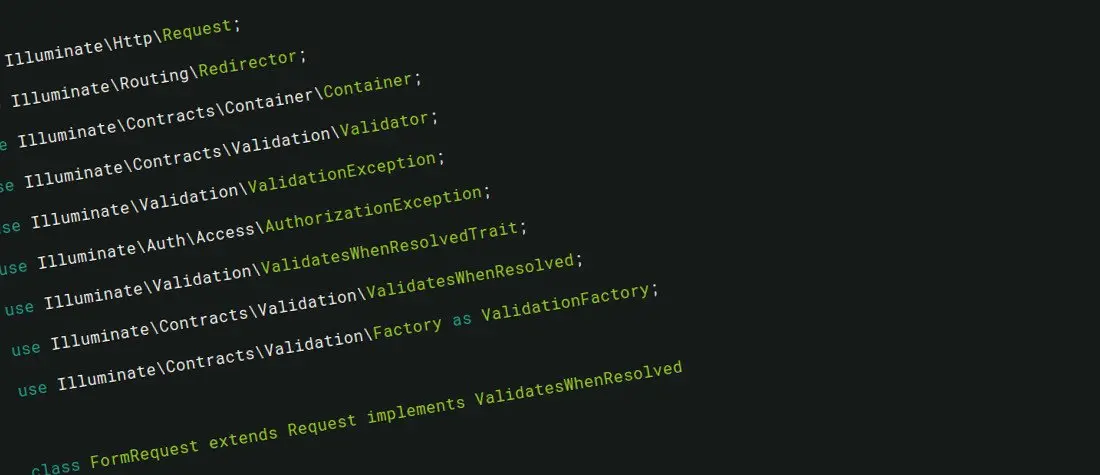
    When you create a request class through the Laravel artisan command, it will create one that extends the base Laravel class Illuminate\Foundation\Http\FormRequest. Within this class the three protected properties listed above are initialised from line 33, but not set to a value.

    Then further down the page of the base class, on line 127 at the time of writing, there is a protected method called getRedirectUrl. This method performs a series of checks for whether or not any of the three redirect properties have actually been set. The first one it finds to be set by you, in the order given above, is the one that will be used as the custom redirect location.

    Here is that getRedirectUrl method for your convenience:

    /**
    * Get the URL to redirect to on a validation error.
    *
    * @return string
    */
    protected function getRedirectUrl()
    {
        $url = $this->redirector->getUrlGenerator();
    
        if ($this->redirect) {
            return $url->to($this->redirect);
        } elseif ($this->redirectRoute) {
            return $url->route($this->redirectRoute);
        } elseif ($this->redirectAction) {
            return $url->action($this->redirectAction);
        }
    
        return $url->previous();
    }


    Do you have any extra tips to add to this? Let me know in the comments below.

    Thanks.

  • Stretching before running

    One of the annoying things about web development, is having to learn completely new paradigms every now and again. I’m all for improving my skills and being more efficient in my work, but when i have to halt to have to learn a whole new separate thing, it grinds my gears a bit.

    The idea I’m talking about today is something called Elasticsearch. Yet another data access methodology and one that I’ve never had to mess with before. Don’t get me wrong I’m not hating on the technology, I would simply rather not have to learn this whole new way of searching data.

    I’m easily confused.

    On a more positive note i have started taking steps towards actually building my first online product / service which i think could be very handy for a lot, if not all, bloggers. It’s something I built for myself and thought about how others could benefit from it too.

    Stay tuned for more info as it develops.

    Tonight I’ve been enrolled into a run up the canal by my lady. Although i felt a sudden drive for it this morning, that has since passed after my tiring over one of the most boring tutorial videos I’ve ever watched – about the aforementioned Elasticsearch. I’m sure she won’t let me shirk my running responsibilities and I’ll be jogging round the block in no time.

  • Im back on the Vim train. Trying, once again, to learn to use it. I know it will be worth it if I stick to it.

  • Laravel Blade push and stack

    Laravel’s blade view compiler is second to none. I’ve used a couple of different templating engines and blade is by far my favourite.

    Including Partials

    The way in which we include partials of views within our main views is as follows:
    @include(‘partials.my-first-partial’)
    It will inject that partial’s content in the specified place.

    Defining Sections

    Within our views, we define “sections” with the following syntax:

    @section(‘section_name’)
    
        The section’s content within here
    
    @stop

    And we can define as many sections as we need for our project.

    When the same section is used in multiple places within one compilation

    Imagine we have master template file as such:

    // layouts.main.blade.php
    <!doctype html>
    
    ...
    @yield(‘partials.form’)
    ...
    
    @yield(‘custom_scripts’)


    Let’s suppose we have the following layout template that extends our main layout one and is including three partials. This example is a form template including its various inputs from separate partials. For my own website I have a different form for each of my post types and so I have the inputs in separate partials for easy reuse.

    // partials.form.blade.php
    @extends(‘layouts.main’)
    
    <form>@include(‘parials.form-title’)
    @include(‘parials.form-content’)
    @include(‘parials.form-tags’)</form>
    

    Let’s next suppose that in a couple of those partial input views you need to inject some custom scripting. This is a slightly contrived example, but it will illustrate the point.

    // partials.form-content.blade.php
    <textarea class="content" name="content"></textarea>
    
    @section(‘custom_scripts’)
    // dummy javascript as example
    $(‘.content’).doSomething();
    @stop
    
    // partials.form-tags.blade.php
    <select class="tags" name="tags">
    <option value="tagone">Tag One</option>
    <option value="tagtwo">Tag Two</option>
    <option value="tagthree">Tag Three</option>
    </select>
    
    @section(‘custom_scripts’)
    $(‘.tags’).doSomethingElse()
    @stop
    

    Now, when the form page gets compiled, only the first occurrence of the ‘custom_scripts’ section will be included.

    So what if you needed to be able to define this section in chunks across partials?

    Introducing Blade’s Push & Stack directives

    To give this functionality, Laravel does in fact have two little-known directives called ‘push’ and ‘stack’.

    They allow you to ‘stack up’ items across partials with the ‘push’ directive, which can then be echoed out together with the ‘stack’ directive.

    Here’s the above form example but with ‘push’ and ‘stack’ used in place of ‘section’ and ‘yield’.

    // layouts.main.blade.php
    <!doctype html>
    
    ...
    @yield(‘partials.form’)
    ...
    
    @stack(‘custom_scripts’)
    
    
    // partials.form-content.blade.php
    <textarea class="content" name="content"></textarea>
    
    @push(‘custom_scripts’)
    // dummy javascript as example
    $(‘.content’).doSomething();
    @endpush
    
    // partials.form-tags.blade.php
    <select class="tags" name="tags">
    <option value="tagone">Tag One</option>
    <option value="tagtwo">Tag Two</option>
    <option value="tagthree">Tag Three</option>
    </select>
    
    @push(‘custom_scripts’)
    $(‘.tags’).doSomethingElse()
    @endpush
    

    This will now compile all uses of the @push(‘custom_scripts’) and echo them out as one wherever you call @stack(‘custom_scripts’)

    When I was shown this technique by a mate at work, it blew my mind.

    Have fun.

  • Version controlling my vim setup, y’all. Just sayin’

  • @letsencrypt hi. I signed up for beta access the other day for my site davidpea.ch I was just wondering if you had a timescale? Cheers.

  • Alias allthethings