

Decided to go for a stroll, which ended up being a two-hour walk around a local nature reserve. Beautiful scenery but almost got bested by flooding water numerous times.
In celebration of my restarting Alien: Isolation later, I thought I’d share a commemorative picture of Sigourney Weaver from the film Alien.
Looking forward to getting back into Alien: Isolation on the PS4 tonight. I tried playing it about a year ago but I got about an hour or so into it and stopped playing. Dunno why I never went back to it.
However, I have been advised by a couple of mates through PSN that I need to give it another go. So I shall give it a good run this time.
I literally started writing this post at the moment I had the thought that I should be writing more. I love the idea of being a writer and for that I know that all I need to do… is write. You see, I keep finding myself wanted to write about different topics that interest me,
I literally started writing this post at the moment I had the thought that I should be writing more. I love the idea of being a writer and for that I know that all I need to do… is write.
You see, I keep finding myself wanted to write about different topics that interest me, however, I keep thinking that I need to put those posts within a “branded” website.
For example, I actively write on another blog at https://horror-manga.com which is about Horror Manga (in case you didn’t guess). And that website is fine for me to write for too. But I found myself wanted to write about other aspects of horror. And instead of just writing on this website, I keep trying to come up with brandable website ideas in order to publish them somewhere I consider to be legit.
But this is actually keeping me from just writing about things that I want to write about.
That’s why, as soon as I had this thought, I wanted to just write about it straight away. I want to stop trying to make myself some brandable entity and just fucking write because I enjoy it.
And aint even gonna edit this one… warts an’ all.
Publish.
Futon is the first, and shortest, story in the Fragments of Horror Collection. It centers around a man who refuses to come out from under his blanket, for fear of the invisible spirits around him.
This is a very short Horror Manga story. It shows a young couple who live in a small apartment together. The Husband, Tomio, refuses to come out from under his blanket on his futon. The Futon is his bed.
He warns his wife of what he calls the “Dark Nature Spirits” in the room. She believes none of it until she actually gets a similar experience for herself.
But are these visions simply a manifestation of some extreme anxiety that Tomio is experiencing? Or are they as literal as he makes them out to be?
The story is very much to the point, yet no less charming than Ito’s other tales. Futon doesn’t try to fill out unneeded pages just to increase the count. Junji Ito has created a short horror story and isn’t afraid to just let it be what it is.
I absolutely love the big ceiling reveal that shows the monsters that Tomio is convinced he is seeing. The detail in that double-page spread is so great and a testament to Ito’s gorgeous horror style.
I was fine too with the vague back story that Tomio gives to his wife about the apparent witch. Some eerie tales can stand up for their strangeness alone, without the need for a comprehensive explanation. I think Futon is one such story.
Despite it’s super short length at just eight pages, this is one of the Stories by the legendary Horror Mangaka that I remember more often. That double page spread is one that lives in my memory as vivid as the page itself.
I just hope I never get to see such visions off the page.

Honouring the memory of one’s ancestors is something that most people try to do – at least I like to think so. So it seems fitting that in Honoured Ancestors, Junji Ito should take this very human trait and turn the dial up to “weird” and give us a flesh and blood representation of ancestry.
We join a young couple as the boy, Makita, is walking his girlfriend Risa back to her house. Risa has recently lost her memory and nobody can work out how. She then begins to get increasing anxiety, along with nightmares of a giant caterpillar invading her bedroom at night.
Perhaps something in her lost memories can give a clue as to the origin of these disturbing visions?
Makita seems almost happy that Risa has lost her memory because, as he puts it, they can experience all of the “first times” they had together once again. One such “first time” that they relive is them both going round to Makita’s home, where he lives with his sick father. However, upon meeting the father, thoughts and feelings begin to stir within her.
It is in this house where the mystery of her lost memories will be unravelled. And there will be one such “first time” that she will wish would never happen again.
In the author’s notes for this story, Ito explains how he saw the big reveal of this story in his mind before any of characters or plot came to him. This is a very interesting way of working, starting with the imagery and working back from there, and I wonder how many other stories of his began this way.
Honoured Ancestors is one of those stories that has so much more going on underneath its surface than what we see. We are shown the current generation of the family, Makita, along with the end of his father’s life. But what about the many ancestors that came before? How did they all trick their partners into marriage and carrying on this family line in such a twisted way?
I really enjoy how many of Ito’s stories like this one trigger these thoughts in me. I love wondering about events that happened so completely out of the scope of the current story, yet would still have had an effect on the story’s world.
I enjoy this story a lot. While not being a favourite of mine, it still holds a high place for me. I find myself imagining the lives of those ancestors and just how they came to begin the connection to their past in this way.
You should definitely pick up Junji Ito’s Shiver Collection and read this story – see what thoughts it sparks in your own imagination.

Fuchi the model is back in this short manga story, included with the excellent Shiver collection. A timid new model crosses paths with Fuchi with very violent and creative results.
Ever since I was little, I’ve been afraid of having my picture taken. Or more precisely, of my body being fragmented by photos.
Amy is a fresh young model with a strange phobia — Fashion Model: Cursed Frame
In this bonus story from his Shiver collection, Junji Ito delivers an incredible depiction of a woman’s strange fear made flesh. And in the most iconic of ways too. One of the things about Junji Ito that is so great, is his big reveals that he often gives us. More often than not I don’t expect them. However, in hindsight they seem to be the only logical outcome.
Logical in Ito’s world at least.
In Fashion Model: Cursed Frame, we are reunited with a favourite amongst Ito’s Characters – Fuchi. Fuchi is the shark-toothed, seven-foot-tall fashion model with a taste for human flesh.
The modelling industry in Junji Ito’s world is very cut-throat indeed.
Amy is a new model on the scene, who agrees to work for a company on a single condition – that they only ever photograph her full body. Never head or body shots. The idea of having parts of her body missing from photographs completely freaks her out.
It is the kind of fear that feels right at home in Junji Ito’s world. And I could just tell it wasn’t going to end well for her.
But how will Amy cope in a profession where people don’t stick to their word. An industry that is often depicted as being ruthless and super-competitive. Not to mention the demonic Fuchi lurking about; on the prowl within those choppy waters of the fashion world.
Cursed Frame is only seven pages long and comes as a bonus in the back of the Junji Ito Shiver Collection. But despite its short length, it packs so much into those pages in a concise, and suitably violent way.
I was really impressed at how he gave us a character with a very specific fear – and one I’d never heard of before either – and managed to bring her story full circle to face that fear head on. I thought Fuchi was an excellent conduit for the idea too – her presence alone brings a sense of dread and foreboding.
I really wish Fuchi was more of a long-standing character – she’s so much fun to watch.
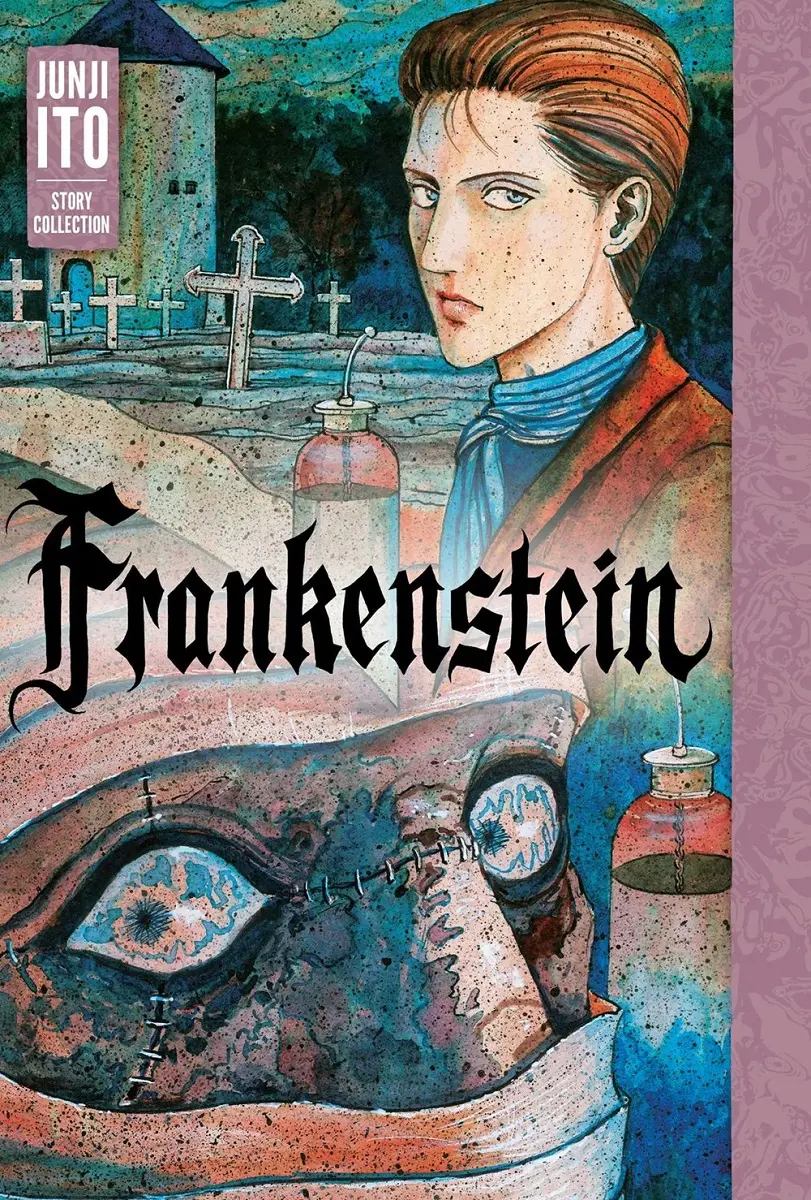
Junji Ito takes on one of the most well-known horror stories of all time. He injects his signature style and atmosphere into the classic tale of man playing god.
You seek for knowledge and wisdom as I once did… it is only natural for a man to pursue knowledge. Until a few years ago, I burned with the same ambition as you.
Victor Frankenstein begins to tell his story — Frankenstein
Mary Shelley’s Frankenstein is perhaps one of the most well-known horror novels ever written, if only by name. In his horror manga of the same name, Junji Ito tackles the mammoth task of bringing this novel into his disturbingly visual world.
Frankenstein is such a huge part of popular culture, however, I have to be honest and say that I have never read Frankenstein the novel; Ito’s version is my first time experiencing the story itself. I knew the rough story – the Doctor creating the monster, but I needed to check the major plot points on the novel’s Wikipedia page after reading this manga, just to see how close it was.
I am happy to report that Junji Ito’s version of Frankenstein stays very true to Mary Shelley’s novel. Even the narrative structure of telling the story from the perspective of the ship’s captain is maintained. But I can’t give a full comparison as I am not familiar with the source material.
During an expedition to the North Pole, in the pursuit of fame, the captain and his crew see the towering figure of a stranger in the distance. This is followed by them finding a man out in the freezing cold all alone and in need of shelter — a man by the name of Victor Frankenstein. Victor is in pursuit also, only his pursuit is of something far more tangiable than fame. His pursuit is of a creature he decsribes — the figure that the crew saw previously.
Suffering from exhaustion and cold, Victor tells the captain his story and how he came to be out here in the wilds of the North Pole. We learn of Victor’s childhood and family, and his growth into the scientist he became. He also recounts the terrible deeds he performed in the pursuit of greatness in his unique field of study.
He goes on to tell the Captain of his creation, the Frankenstein’s Monster, and how it came to escape and ultimately wreak havoc on his family. We bear witness to the awful deeds that the monster does, and Victor’s seemingly never-ending pursuit of it. Victor’s story ultimately brings us back to the current time on board the trapped ship and to the final moments of realisation of both the monster and the creator alike.
As I said before, this was the first time experiencing the full story of Frankenstein. I mean, I’ve always known about the characters and the creation of the monster through parodies and tv series tie-ins like Penny Dreadful and Carry On Screaming, but never the original story.
I am glad, in a way, that reading Junji Ito’s interpretation of it was my first taste. It meant that I got to experience all of the story’s twists, turns and moments of horror, only via the expert artistry of the horror mangaka himself. That’s not to discount Mary Shelley’s talents; I’m just saying that this was a very different way to be subjected to it for the first time.
I thought that the intricacies of the monster himself were put across very well too. It’s moments of horrific brutality; it’s moments of love towards the family whose home he hides in; and the moments of vulnerability where he pleads for his creator to build him a mate – a mate who won’t cower and scream at the mere sight of his face. Someone he can love — and receive love in return.
I can’t say that this is my favourite Junji Ito story, but nonetheless I thought he did a great job working within another writer’s world and the limitations that it can bring. His artwork is on point as always, with the depiction of both innocence and horror so expertly portayed, sometimes through the same character.
I’ve heard said before that if you are going to remake or cover someone else’s creation, whether a film, song or whatever, you should either strive to improve on the original or at least make it different. Whilst I can’t say whether or not he improved it, I do think he brought something completely different. Perhaps even bringing this classic horror story to the eyes of people who may never have ended up reading it — like me.
Whilst I can’t recommend reading this version of Frankenstein before the original, nor should I, I do feel that it is definitely a Manga worth reading at some point. I’m not sure about any different experiences I may have had, had I have read the novel first. The big difference that does spring to mind is that all of the visuals would have been created in my imagination – making it even more scary perhaps?
But as a standalone horror manga, regardless of the source material, Junji Ito’s Frankenstein is a great read in my opinion and worthy of your time.
The Silent Scream may be one of my favourite episodes from the Hammer House of Horror series. It doesn’t contain any deaths – not of people anyway – and doesn’t really have much in the way of gore. But where this episode excelled for me was on the psychological level.
Lay the right bait, and almost any creature will walk in of its own accord.
Martin Blueck to Chuck Spillers
The Silent Scream may be one of my favourite episodes from the Hammer House of Horror series. It doesn’t contain any deaths – not of people anyway – and doesn’t really have much in the way of gore. But where this episode excelled for me was on the psychological level.
Plus, escaped nazi war scientists always bring with them a particular brand of horror for me. Memories of American Horror Story‘s Dr. Hans Grüper.


Chuck Spillers, played by the excellent Brian Cox, is fresh out of jail and back into the loving arms of his wife, Annie – played by TV actress Elaine Donnelly. Whilst in prison he was visited regularly by an older man, Martin Blueck – played by the ever-charming Peter Cushing. Blueck would talk with him and give him money for his time. Although this initially seemed very generous, it is soon apparent that this was just bait; grooming him for what was to come later.
True to his word, the day after his release Chuck goes to visit Blueck at his place of work – a pet shop in the centre of town. He goes to say thank you to this old man whom he now considers a friend. Blueck then offers Chuck a job, only in a secret back area of the shop.

In the back is a large warehouse where Blueck keeps all manner of dangerous and exotic animals in cages. These include Lions, Tigers, Panthers and Baboons. What is perhaps more surprising for Chuck, is the fact that the cages all have their doors open.
Blueck explains his ambitions to create zoos without bars, where animals can walk freely and still be of no danger – something that Chuck sees the benefit in having just been released from jail. These animals have been conditioned to know that the open doors do in fact contain an electrical field that will instantly kill any who attempt to pass through. Only after the power is turned off, and the loud buzzer is rang, is it safe to briefly step out to get their prepared food.
Chuck dutifully tends to the animals each day whilst Blueck is away, as he is paid to do. However, Chuck’s attention is continually drawn to a safe housed in the wall on the second floor of the warehouse. He knows he has the skills necessary to open such a safe and obtain the potential fortune within. But his greed may well be his undoing.
Imprisonment is a big theme in this episode: Chuck has just been released from jail, where he found the confinement particularly hard to cope with; the animals being housed in their open cages with fear of death on exit in Blueck’s warehouse; and even the limitation of locations in the episode. For the most part we are either in the Spillers’ kitchen or Blueck’s shop.
On writing this it even occured to me that perhaps the prisons that these character’s carry within them are of importance too. The way that Chuck’s desire for more leads him to crack open the warehouse safe, causing his own imprisonment by Blueck.

Or even the way that Annie is still bound to Chuck with love, even after his greed and criminal actions lead directly to his being imprisoned. And her being bound to him, attempting his rescue, leads to her own capture by Blueck.
And finally Blueck himself. His desire to experiment on Chuck and Annie, to create a prison without bars, ultimately leads to the overlooking of his most dangerous captive animals – sealing his own fate
I found this episode to have a good amount of tension — the most poignant moment just has to be that scene with the puppy. Although not gory, it still manages to leave it’s trace across the rest of the episode. I didn’t find the lack of blood and conventional Hammer Horror deaths to be a thing I particularly missed either. I mean, a bit of gore can be fun alot of the time, but in this story the suspense and tension were balanced enough to carry it on their own.
The ending was suitably nightmarish for me, although I could see it coming a mile off. This was simply due to a previous scene with Blueck driving away from a location in his car. It was a shame, because had it have been edited in a slightly different way, I believe that the closing scene could have been much more of a surprise twist.
I loved this episode. The over-arching theme of imprisonment and being beholden to the desires we carry within us was an interesting one. Some of these episodes can be a bit hit and miss for me, but there are enough good quality episodes, like The Silent Scream, that really hit the mark.
I enjoyed seeing the legendary Peter Cushing in the role of Blueck. I was so used to him portraying the side of good, like as Van Hellsing in the Dracula films and Sherlock Holmes in The Hound of the Baskervilles. So it was a real treat to see him in such a dark role.
(I know he played Grand Moff Tarkin in Star Wars too, but I’m only thinking of the more horror-themed films here)
Also Brian Cox playing Chuck Spillers. He has one of those faces that I knew I recognised – I just couldn’t remember from where. Then I read his filmography and saw, amongst many other entries :
| 1995 | Braveheart | Argyle Wallace |
Instant recollections of the opening scenes from Braveheart hit me. That’s where I know him from!



The word Fediverse comes from the joining of the words “Federated” and “Universe”. It encompasses web-based social software that is inter-operable through open protocols1 and gives each person full control over their own website and data.
The word Fediverse comes from the joining of the words “Federated” and “Universe”. It encompasses web-based social software that is inter-operable through open protocols1 and gives each person full control over their own website and data.
(of a country or organization) set up as a single centralized unit within which each state or division keeps some internal autonomy.
federated, from Oxford living Dictionaries
Modern social technology, for the most part, revolves around huge central areas of power. Places like Facebook, Twitter, Snapchat, Google have become household names. But these sorts of companies are not conducive to a free and open world.
These central powers monopolise much of the communication between people and fully own and control the data that they collect from said communications.
Not only do they own that data, but it is their core business models to learn as much as possible about us and monetise that data for their actual customers – their investors2.
Not only is this dangerous to a free and open world, and along with it freedom of speech, but it also strips people of their control over a huge portion of what it means to be a human being on the planet Earth today – their personal data.
Data about people, is people.
Aral Balkan, Cyborg Rights Activist
The Fediverse tips the current digital social system on its head, by enabling people to take back ownership over their digital selves. With certain services that are available, you3 have the ability to choose alternatives to mainstream technology – you have the ability to take back control, as these federated services have decentralisation built into their core.
This decentralisation removes the giant centres we’re used to seeing, leveling the playing field and giving each person an equal place from which to speak.
Yes, you would need to set up your own installation, or have somebody with the know-how you trust do it for you. But once you have that freedom with your very own digital home – that you truly own and control – it’s very liberating.
Let’s use a service called “Mastodon” as an example here. Mastodon is often described as being a federated Twitter, which it is, but I think it’s important to really hammer home what that actually means. And the principles I will describe here apply to many other types of federated social sites. For example: Peertube – a federated youtube contender; and Pixelfed – a federated Instagram clone.
It’s also worth saying that when we say something is a federated version of a current site, that current site has zero to do with them – it is just a way for people to grasp what the given federated site offers by way of general features.
Mastodon is not just a single website. It is an open source project that can power anybody’s website.
Me trying to explain mastodon in a single line.
If I have my own installation of Mastodon (each installation is known as an Instance, by the way), then I have my very own Twitter-like website where I can share my thoughts and images with anybody who would care to read them. And if you had your own instance of it, you could do the same.
For example, if:
We would be at completely different web addresses. However, we would still be able to communicate with one another, thanks to the way that mastodon works. (In comparision, everyone who uses Twitter goes through https://twitter.com. So talking to one another there takes place in Twitter’s house, as it were). With federation, the communication is done so between the people involved; from their own homes.
What makes the Fediverse federated, is its ability to enable people to have their own self-controlled instance of a service and still be able to connect with other people as we have come to love4 about Twitter et al. And imagine that, but with thousands and thousands of instances – all able to talk to one another.
It’s going to be a long hard road out of our current situation, but it all starts here – in the Fediverse.
And it doesn’t stop there.
A big tennet of federated services, is that there are no lock-ins to any particular one.
Earlier on I mentioned some other federated services – Peertube (for video sharing) and Pixelfed (a federated version of Instagram). Let’s suppose that I have a friend who has an instance of Peertube, where they share video reviews on, let’s say the Australian soap “Neighbours”. And let’s suppose I wanted to get updates from that friend, but I only have my own Mastodon site. Wouldn’t it be cool if I could follow his Peertube site, but from my Mastodon?
You already know what’s coming doing you? 😀
You can!
For example, I can follow a content creator from their own instance of Peertube, and have their messages come through in my mastodon feed. This is the exact opposite of how we are currently used to seeing online services. The big social networks have lock-ins to their own walled gardens – the Fediverse is a huge open park where people can choose to travel through it any way they wish.
The beauty, and extra special powers, of the fediverse is that it isn’t limited to a single service. The underlying protocols (ways that the sites communicate) are designed in such a way that they can be used by any service that wishes to implement them. And those messages still go from person to person – there is no central authority to trust and / or fear.
Right now, it is hard for none-tech people to get up and running with their very own instance of a chosen service. This is the fediverse’s biggest hurdle right now in my opinion, but it is still early days and hopefully things will get easier with time.
That being said, there are numerous community-driven instances of services that allow you to register on. This does go against that idea of self-control and ownership that I have been talking about somewhat. However, we all have to start somewhere and joining a popular community instance is a great way to try it out and even discover new friends. Plus, once you are comfortable in the Fediverse, there is nothing stopping you from starting your own instance later on down the road, should you have the technical knowledge or someone to help you do so.
If you would like advice, I’d be happy to help where I can. Email me at mail@davidpeach.me.
I hope you, after reading this, will give the fediverse a try for yourself. This is freedom of speech at its best on the web right now, and I encourage you to give it a go for yourself. And if / when you do, come and say hello: https://mastodon.davidpeach.me
The fediverse is an agreement that the people who use social services online, indeed the entire web, should be in full control and ownership of 100% of their data. They should be free to be who they want to be, without being beholden to huge conglomerates whose only bar for success is profit for renting access to peoples private data.
Come on over and say hello.
A superb open-world espionage game from Hideo Kojima. The Boss is back.
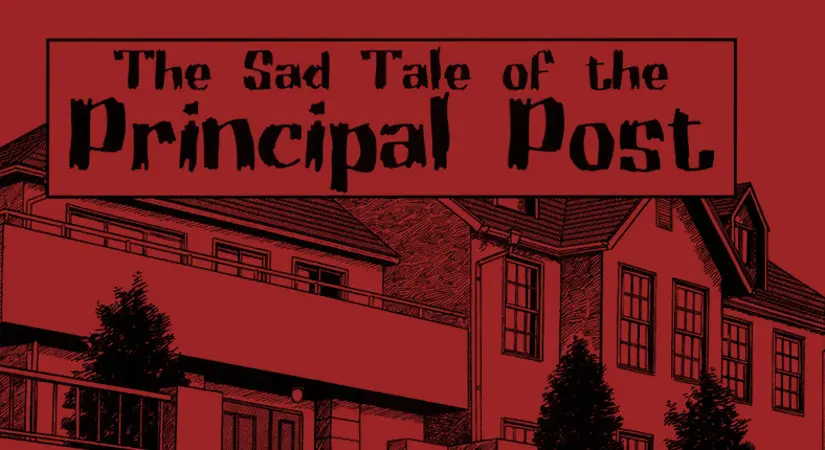
One of the shortest of Junji Ito’s manga stories at just four pages. Included with his famous Gyo series is this little gem about a man who has some trouble with the supporting beam of his family’s home – the principal post.
Nestled at the end of Junji Ito’s story `Gyo`, is a four page one-shot story about a man found trapped underneath the main supporting post of his family’s home. As the mother and children are busy entertaining visitors to their new home, screams are heard from beneath them. And there inside the house’s crawl space, tightly held beneath the Principal Post, is the father of the family.
The metaphor for this short story seemed so obvious to me, but I wanted to share my thoughts on it nonetheless.
For me, it seems that the father is literally holding the weight of the house on his back – supporting it for his wife and children. And instead of begging for help, he instead pleads for them not to move him – for doing so would risk bringing the whole building down. So for his family, he is willing to die in order to keep them warm and safe in their home.
I’m not sure if this was perhaps Junji Ito expressing feelings of his own regarding his family and his willingness to do whatever he can to help and support them. But I do like to think so.
This story does have a pretty ridiculous narrative when you think about it – the man being spontaneously trapped and the reason for it never being revealed – but I do think that this holds a nice message of family loyalty. Out of all of Ito’s one-shot stories I have read so far, The Sad Tale of the Principal Post is one of my favourites.
Running round raccoon police station with a red jewel and a 9 volt battery. Wtf?
Setting up your very own Nextcloud server from scratch. This has been tested with version 15 and 16 of the software. Any questions, please do contact me.
Setting up your very own Nextcloud server from scratch. This has been tested with version 15 and 16 of the software. Any questions, please do contact me.
Updated on: 24th June 2019
If you don’t have an account already, head to Digital Ocean and create a new account. Of course, you can use any provider that you want to – I just happen to use them and so can only give experience from that.
Login to your account.
In the next step we will be creating your new droplet (server), and you will need an SSH Key to add to it. This allows for easy and secure access to your new droplet from your local computer, via your terminal1.
If you are going to use the Digital Ocean console terminal, skip down to ‘Create the new “Droplet”‘, as you wont need an ssh key.
If you haven’t generated an SSH key pair before, open a fresh terminal window and enter the following:
ssh-keygen -t rsaPress enter through all of the defaults to complete the creation.
Type this to display your new public key:
cat ~/.ssh/id_rsa.pubThis will give you a long string of text starting with ssh-rsa and ending with something like yourname@your-computer.
Highlight the whole selection, including the start and end points mentioned, and right click and copy.
When you are creating your droplet below, you can select the New SSH Key button and paste your public key into the box it gives you. You will also need to give the key a name when you add it in Digital Ocean, but you can name it anything.
Then click the Add SSH Key and you’re done.
Digital Ocean refers to each server as a droplet, going with the whole digital “ocean” theme.
Head to Create > Droplets and click the “One-click apps” tab. Then choose the following options in the selection (Or your own custom selection – just take into account the monthly cost of each option):
Once you have selected the above (or your own custom options) click create. After a few moments, your droplet will be ready to use.
Got to your domain name provider, Hover in my case, and set up the subdomain for your nextcloud installation, using the I.P. address for your new droplet.
I’m assuming that you already have your own domain name, perhaps for your personal website / blog. In which case we are adding a subdomain to that (so https://nextcloud.yourdomain.co.uk, for example).
But there is nothing stopping you from buying a fresh domain and using it exclusively for your new Nextcloud (https://my-awesome-nextcloud.co.uk).
I will be continuing this guide, assuming that you are using a subdomain.
You will add it in the form of an A record. This is how I would add it in Hover:
edit > edit DNSAdd A record on the DNS edit pagenextcloud.mydomain.co.uk, you would just enter nextcloud.Add RecordFirst ssh into your new server:
ssh root@YOUR.IP.ADDRESS.HEREWhen we chose to install the LAMP option when setting up the droplet, it installed Linux, Apache2, MySQL and PHP. However, there are still some extra dependencies that Nextcloud needs to run.
Let’s install those next:
apt-get update

apt-get install libapache2-mod-php7.2 php7.2-gd php7.2-json &&
apt-get install php7.2-mysql php7.2-curl php7.2-mbstring &&
apt-get install php7.2-common php7.2-intl php-imagick php7.2-xml &&
apt-get install php7.2-zip php7.2-ldap php7.2-imap  php7.2-gmp &&
apt-get install php7.2-apcu php7.2-redis php7.2-imagick ffmpeg unzipPlease note that I am using version 15.0.0 in this example. However, when you read this you may have a new version available to you. I will try and keep this guide as up to date as possible.
# Download the codebase and the "checksum" file.
wget https://download.nextcloud.com/server/releases/nextcloud-15.0.0.zip
wget https://download.nextcloud.com/server/releases/nextcloud-15.0.0.zip.sha256

# Make sure that the codebase is genuine and hasn't been altered.
sha256sum  -c nextcloud-15.0.0.zip.sha256 < nextcloud-15.0.0.zip

# Move the unzipped codebase into the webserver directory.
unzip nextcloud-15.0.0.zip
cp -r nextcloud /var/www
chown -R www-data:www-data /var/www/nextcloudnano /etc/apache2/sites-available/000-default.confAn example apache config:
<VirtualHost *:80>
        ServerAdmin mail@yourdomain.co.uk
        DocumentRoot /var/www/nextcloud

        <Directory /var/www/nextcloud/>
            Options Indexes FollowSymLinks
            AllowOverride All
            Require all granted
        </Directory>

        ErrorLog ${APACHE_LOG_DIR}/error.log
        CustomLog ${APACHE_LOG_DIR}/access.log combined

        <IfModule mod_dir.c>
            DirectoryIndex index.php index.pl index.cgi index.html index.xhtml index.htm
        </IfModule>

RewriteEngine on
RewriteCond %{SERVER_NAME} =nextcloud.yourdomain.co.uk
RewriteRule ^ https://%{SERVER_NAME}%{REQUEST_URI} [END,NE,R=permanent]
</VirtualHost>
a2enmod rewrite && a2enmod headers && a2enmod env &&
a2enmod dir && a2enmod mime && systemctl restart apache2In recent versions of MySQL, the way that the mysql root user connects to the database means that password authentication wont work. So firstly we need to alter that user to use password authentication.
apt install mysql-servermysql
# In the mysql mode
ALTER USER 'root'@'localhost' IDENTIFIED WITH mysql_native_password BY 'your_secret_password';
FLUSH PRIVILEGES;
quitapt install certbotcertbot --apache -d nextcloud.yourdomain.co.ukYou will then be asked some questions about your installation:
Let’s Encrypt will handle the registering of the apache settings for you new ssl to work. It uses the server name you entered in the 000-default.conf file earlier.
It will also create a new file that is used by Apache for the SSL. For me, this file was at /etc/apache2/sites-available/000-default-le-ssl.conf.
Now go to https://nextcloud.yourdomain.co.uk and you should see your nice new shiny Nextcloud installation.
Fill in the fields for your desired name and password for the admin account. You can just use the admin account as your main account if you will be the only one using this Nextcloud. But you can give others access to this site with their own login details, if you wanted. But without the admin-level priviledges.
For the database fields, enter root as the username. Then for the password, use the one that you set in the previous mysql command above. For the database name choose whatever name you wish, as the installation will create it for you.
Click finish.
After a few moments time, your nextcloud instance should present you with the landing screen along with the welcome popup. Go ahead and read it and you could even install the app for your devices as it will suggest.
If you click the cog icon in the top right of your screen, followed by settings in its dropdown, you will come to the main settings area. In the left-hand column, beneath the heading “Administration”, you should see the link for “Overview”. Click it.
Now you should see a bunch of security and setup warnings at the top of the page. This is nothing to worry about, it is simply telling you about some actions that are highly recommended to setup.
We will do that now. 🙂
All that is needed to fix this first one, is a quick edit to the apache config file that Let’s Encrypt created for the installation.
nano /etc/apache2/sites-available/000-default-le-ssl.confAnd then add this following three lines within the <VirtualHost *:443> tag.
<IfModule mod_headers.c>
    Header always add Strict-Transport-Security "max-age=15768000; includeSubDomains; preload"
</IfModule>
And then reload apache:
systemctl reload apache2Refreshing the settings page should see that warning disappear.
Open up you Nextcloud config file:
nano /var/www/nextcloud/config/config.phpAt the bottom of the config array, add the following line:
'memcache.local' => '\OC\Memcache\APCu',Refresh your browser and that next warning should now vanish.
For future reference, you can always take a look in the sample Nextcloud config file at /var/www/nextcloud/config/config.sample.php. It will show you all available config options.
With this warning, Nextcloud should display some sample opcache code to paste over. This one caught me out as I couldn’t work out which ini file this example code should go.
After some trial and error, I discovered that for me, it was located in an opcache.ini file:
nano /etc/php/7.2/mods-available/opcache.iniThen at the bottom of the file, I pasted the following:
opcache.enable=1
opcache.enable_cli=1
opcache.interned_strings_buffer=8
opcache.max_accelerated_files=10000
opcache.memory_consumption=128
opcache.save_comments=1
opcache.revalidate_freq=1
Reload apache:
systemctl reload apache2I only actually came across this warning when I was creating a dummy Nextcloud installation for helping with writing this guide. You may not actually get it. But if you do, here’s the fix2:
sudo -u www-data php /var/www/nextcloud/occ db:convert-filecache-bigintThis will warn you that it could take hours to do its thing, depending on the number of files. However, due to us running it right after the installation, will not even take a second.
To fix this, I just had to edit the following file:
nano /etc/php/7.2/apache2/php.iniThen alter the next line to look like this:
memory_limit = 512MThen restart apache:
service apache2 restartOnce you refresh the settings page once more, you should see a beautiful green tick with the message “All checks passed”.
Good feeling, isn’t it?
If for any reason you are still getting warnings, please dont hesitate to contact me. I’ll do my best to help. Email: mail@davidpeach.me. Alternatively you can head to the Nextcloud Documentation.